
Free Plagiarism Checker – Real Sources, Clear Results
Check content for matching text, review the similarity score, and find possible source links before publishing or submitting your work.
Check Your Content for Plagiarism
Paste text, upload a file, or import a URL to scan instantly.
Upload a .txt, .csv, .md, .docx, or .pdf file.
No file selected
Import content from a public webpage URL.
Trusted by Teams That Care About Original Content
Plagiachecker supports writing, publishing, research, SEO, and editorial workflows where every source and matched passage matters.






See What Matches, Where It Appears, and Why It Matters
A percentage alone does not explain a plagiarism result. Plagiachecker connects similarity with matched words, highlighted passages, and source information so you can review the result in context.
Compare detected matches with the original portion of the document.
Review where similar wording was found and examine each source separately.
Locate sections that may need rewriting, quotation, citation, or closer review.
Check Your Content in Three Simple Steps
Run a plagiarism check without working through a complicated setup.
Add your content
Paste text into the checker. Account users can also work with supported files and public webpage content.
Start the scan
Plagiachecker reviews the text for matching words and possible source connections.
Review the report
Examine similarity, highlighted passages, and source details before rewriting, citing, publishing, or submitting.
See What Happens Behind Every Scan
Plagiachecker gives users more than a percentage. Reports connect matching text with source information and make it easier to understand which passages need attention.
Check Content in the Format That Works for You
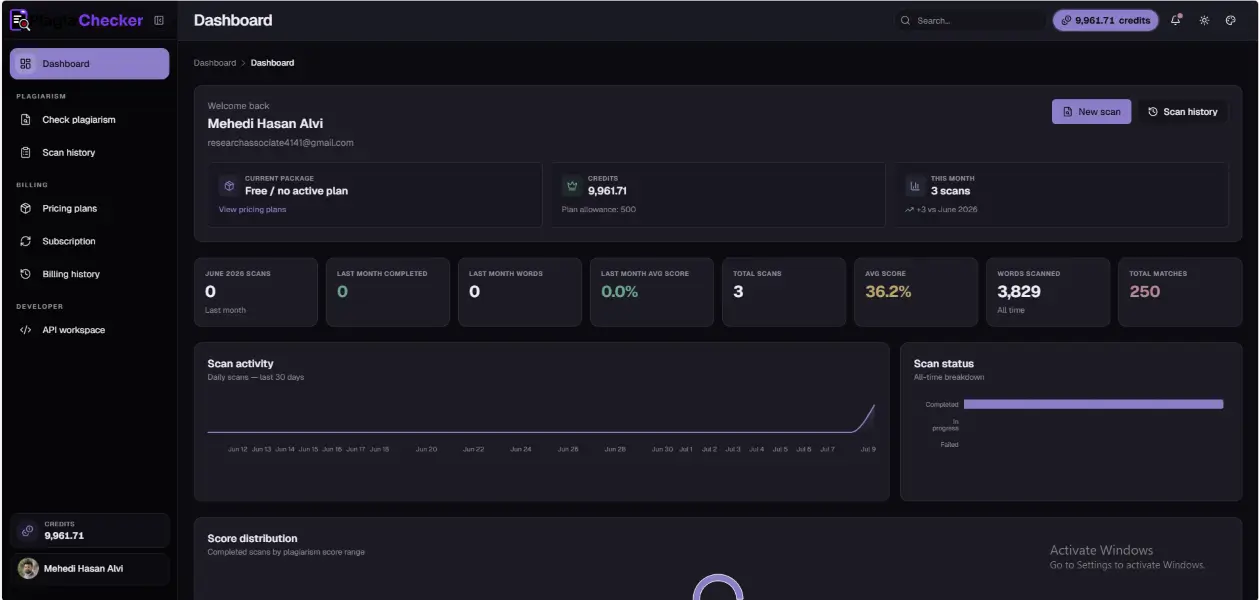
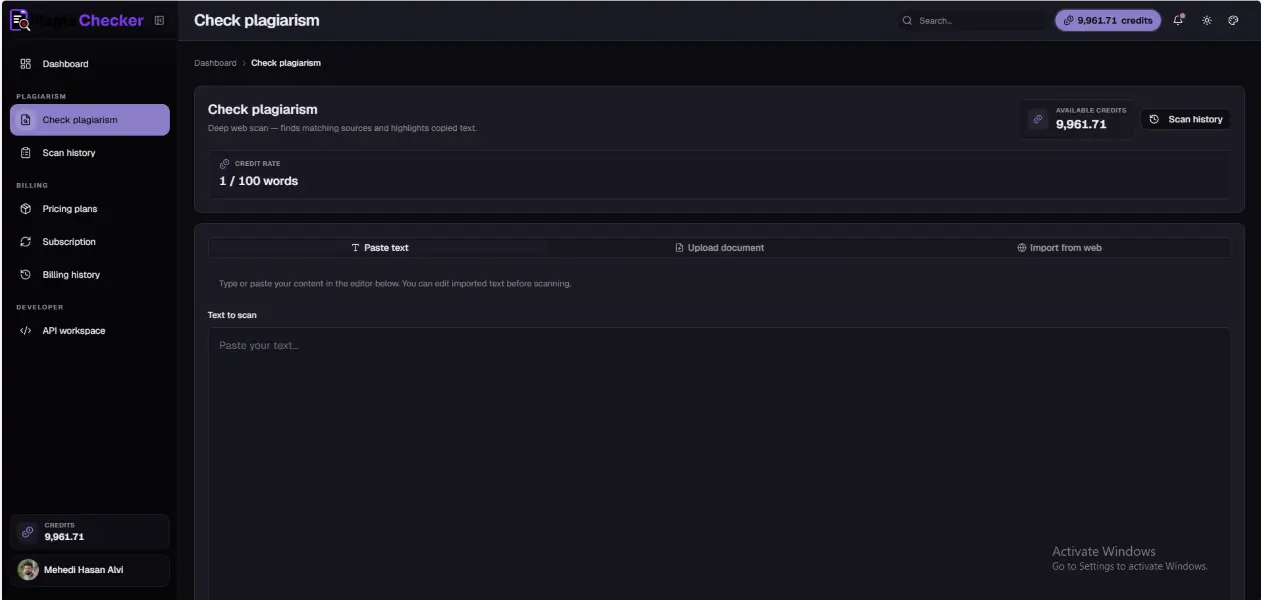
Paste text directly, upload a supported document, or import content from a public webpage. Review extracted text before starting the plagiarism scan.
See the Evidence Behind the Similarity Score
Review matched words, highlighted passages, and the webpages connected to detected similarities. The report provides more context than a percentage alone.
Return to Previous Scans When You Need Them
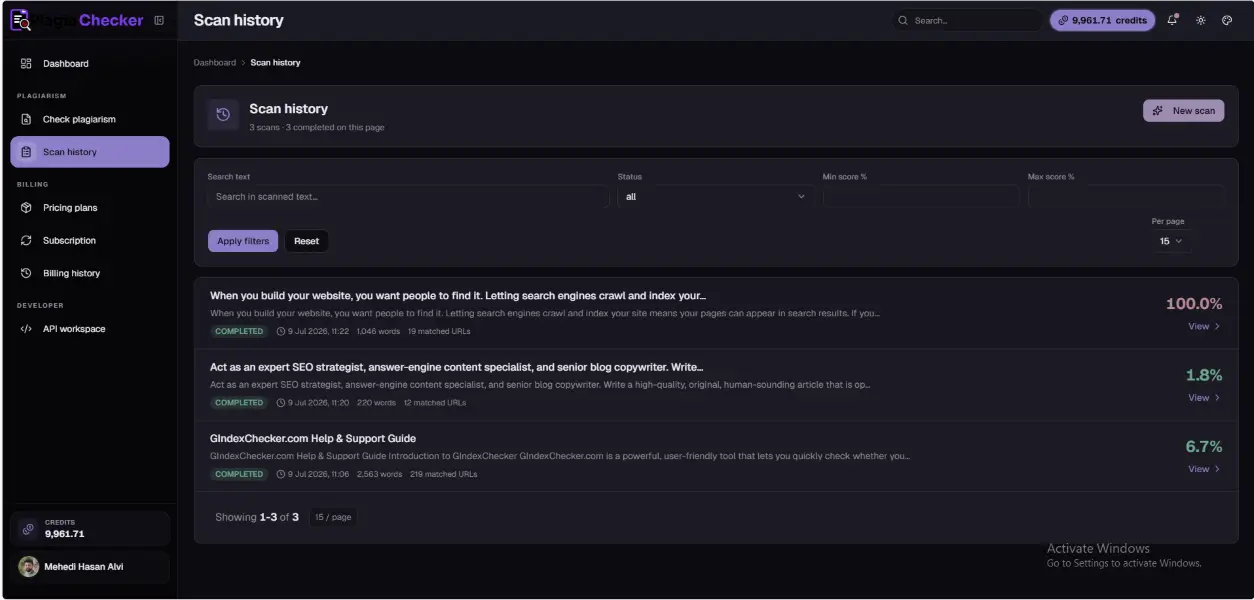
Registered users can search, filter, and reopen previous plagiarism checks from an organized scan-history workspace.
Explore More Plagiachecker Features
See document uploads, webpage imports, scan reports, history, developer access, and other tools available through the platform.
Built for Content That Needs a Second Look
Use similarity results as a review tool across writing, research, publishing, education, SEO, and client-content workflows.
Writers and Editors
Review drafts, articles, landing pages, and client content before publication. Locate passages that may need rewriting, quotation, or attribution.
Students and Researchers
Review essays, thesis drafts, research papers, and cited material before submission. Similarity results should always be considered alongside academic requirements.
Teachers
Use source and similarity information as supporting evidence when reviewing attribution, quotations, and referenced material.
SEO Professionals
Review website copy, repeated wording, and content-originality concerns before pages are published or updated.
Publishers and Agencies
Check submitted content before approval, client delivery, or publication without treating a similarity score as a final judgment.
Ecommerce Teams
Examine product descriptions, category copy, and supplier text for repeated wording before it appears across multiple pages.
A Similarity Score Needs Context
Matching text does not always mean plagiarism. Quotations, citations, references, common phrases, templates, and previously published material may all contribute to a similarity score.
Review the source, compare the surrounding context, and decide whether a passage needs quotation marks, attribution, rewriting, or further examination.
The score identifies material to review. The matching passages and their sources provide the context behind it.
Compare the matched passage with the surrounding source material instead of relying only on the percentage.
Confirm that directly copied wording is clearly marked as a quotation where required.
Make sure referenced ideas and wording follow the required attribution or citation format.
Rewrite passages that follow the sentence structure or wording of the original source too closely.
Your Content Should Stay Under Your Control
Plagiachecker is designed to keep account activity and scan reports within the user workspace. Information about storage, retention, and third-party processing should always be reviewed through the current Privacy Policy.
Clear Controls Around Reports and Account Activity
Review scan history, return to completed reports, and manage your work through an account-protected application workspace.
What People Say About Plagiachecker
See how different users review similarity results, matching passages, and connected sources before submitting or publishing content.



Guides for Writing and Publishing Original Content
Explore practical articles about plagiarism, text similarity, duplicate content, citations, copyright, and content originality.
Canonical Meaning: Definition, Uses, and Examples
Explore what "canonical" means across religion, tech, and SEO, and learn how canonical URLs help search engines identify the authoritative version of a page.
Read article
Is Plagiarism Illegal? U.S. Laws, Risks, and Penalties
Understand the difference between plagiarism and copyright infringement, potential legal consequences, and academic penalties for copied content.
Read article
Paraphrasing Vs Plagiarism: Understanding The Difference
Learn the key differences between proper paraphrasing (restating in your own words) and patchwriting or outright copying, with practical examples.
Read article
Does Google Penalize Duplicate Content? SEO Facts
Discover how Google handles repeated content, the difference between penalties and filtering, and what it means for your rankings and crawl budget.
Read articleQuestions About Plagiarism Checking
Understand what a plagiarism checker reports, how similarity should be interpreted, and which workflows are available through Plagiachecker.
Looking for more answers?
Visit the full FAQ page for more information about reports, accounts, files, billing, and developer access.
View All FAQsA plagiarism checker compares submitted text with available sources to identify matching or similar wording. The result should be reviewed alongside quotations, citations, and source context.
Plagiachecker provides a free checking option, while account plans may include higher limits, saved reports, file uploads, and other advanced tools.
The score reflects the portion of scanned text connected to detected source matches. Individual source percentages may differ from the overall similarity result.
No. Similarity may include quotations, citations, references, common wording, templates, or previously published material. Each match needs contextual review.
The application supports TXT, TEXT, MD, DOCX, and PDF files, subject to current file-size and account limits.
Account users can import content from a public webpage, review the extracted text, and then submit it for checking.
Registered users can access available scan history and reopen completed reports through the application dashboard.
Yes. Developer access supports submitting content, checking scan status, and retrieving completed results through the Plagiachecker API.



Check Your Content Before You Publish It
Run a free plagiarism check, review highlighted matches and possible source links, and decide what needs rewriting, citation, or further review.
VIEW PRICING PLAN