
 PlagiaChecker Features
Review Similarity, Sources, and Matching Text in One Clear Workflow
PlagiaChecker gives users a cleaner way to review content originality before publishing, submitting, or approving work. Instead of depending only on a similarity percentage, users can inspect highlighted passages, possible source links, matched wording, and previous reports.
Static visual preview
Everything You Need to Review Content with More Context
A plagiarism report becomes more useful when it gives users more than a number. PlagiaChecker combines score details, matched passages, source information, and report access into a simple review experience.
Similarity Score
Review how much submitted content may match other available sources.
Highlighted Matches
Find the exact text sections that may need closer review, rewriting, quotation, or citation.
Possible Source Links
Compare matching passages with possible source pages to better understand the context.
Matched Words
See supporting details that help explain why a similarity result appeared.
Previous Reports
Return to completed checks and review available scan history from the user workspace.
Content Review Workflow
Move from checking text to reviewing sources and deciding the next editing step.
Detailed Features Built for Content Review
These dashboard-based feature cards show how PlagiaChecker helps users review similarity, source context, highlighted matches, and available reports from a clearer workspace.
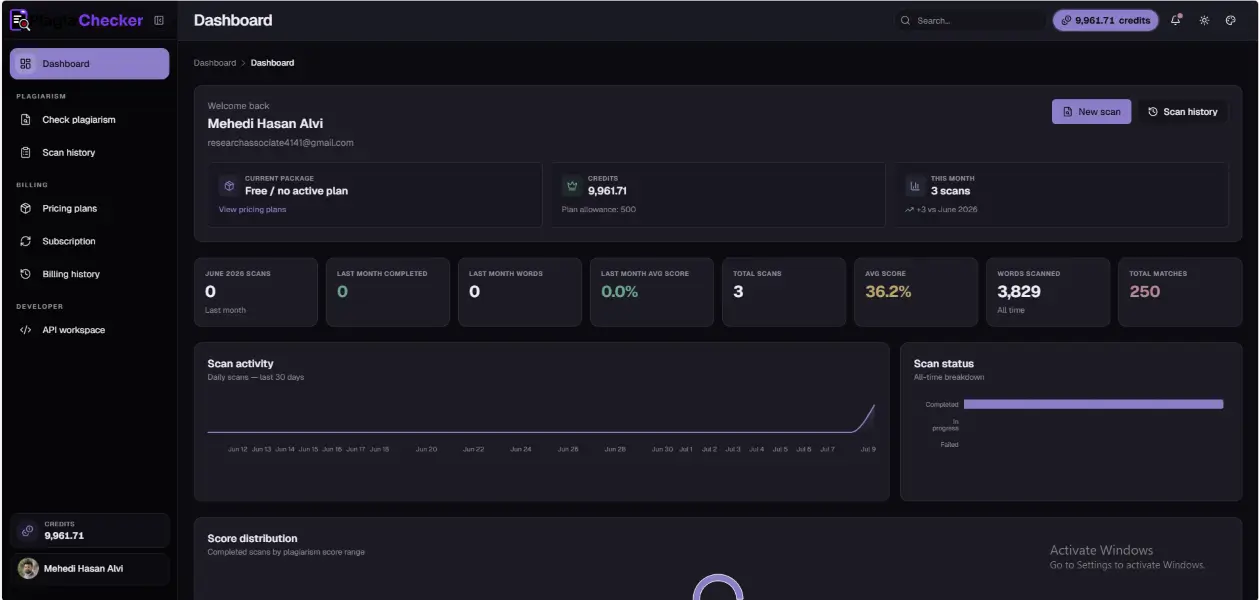
Dashboard-Based Similarity Review
Review similarity score, matched wording, possible source links, and report details from a clear dashboard-based view. The layout helps users move from a percentage to the details behind the result.
- Review score information with supporting report details.
- See matched wording and possible source context together.
- Decide what may need rewriting, citation, or closer review.
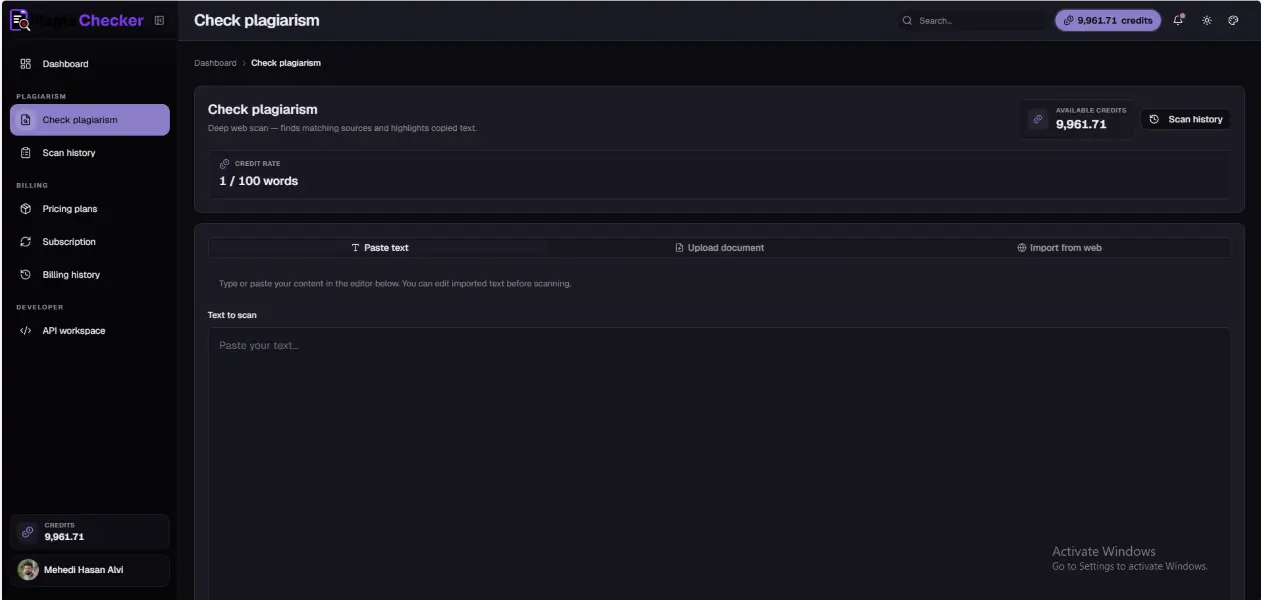
Highlighted Source and Match Reports
Examine highlighted passages and source rows so users can understand what matched and where the match may appear. This makes similarity review easier to interpret before editing or approval.
- Find exact passages that may need attention.
- Compare possible source links with the submitted wording.
- Review quotation, citation, and close wording more clearly.
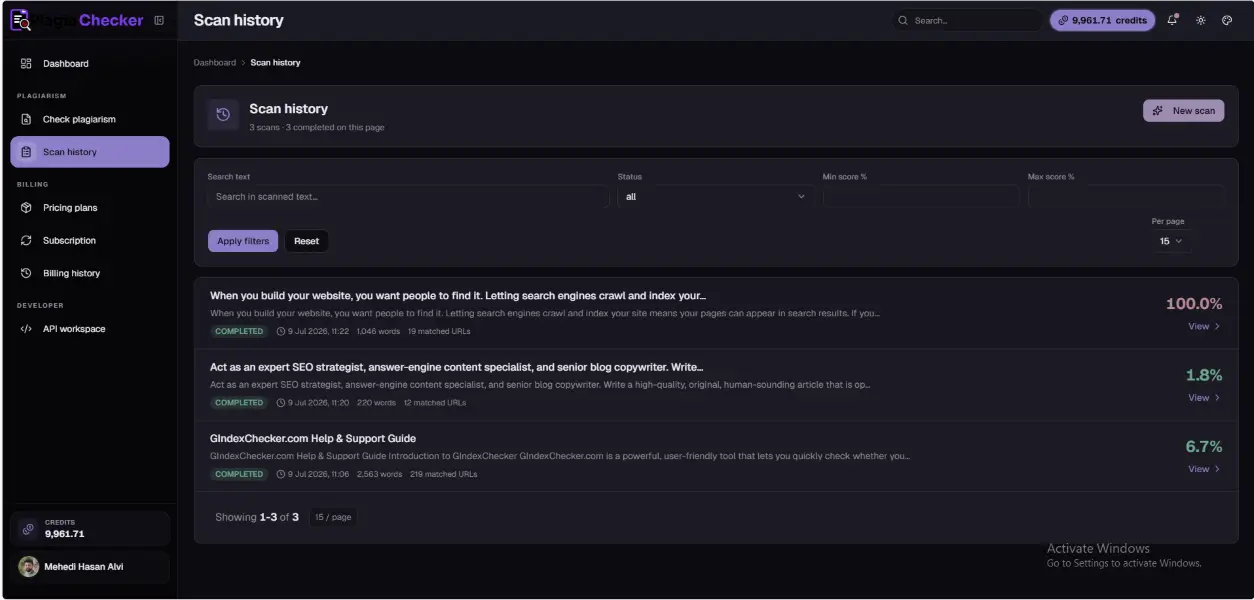
Report History and Review Workspace
Return to available scan history and previous reports through the workspace when users need to continue reviewing content. This supports organized review for drafts, pages, files, and client work.
- Return to available reports from the user workspace.
- Continue review without losing earlier scan context.
- Keep multiple content checks easier to manage.
See the Similarity Score, Then Review What Created It
A similarity score gives users a quick starting point, but it should not be the final answer. PlagiaChecker helps users review the score together with matching passages and possible sources.
This makes the result easier to interpret. Users can check whether a match comes from common wording, quoted text, cited material, repeated phrases, or content that needs revision.
Find the Exact Text That Needs Attention
Highlighted matches help users avoid guessing. Instead of scanning the full document manually, users can quickly see which parts of the content may need further review.
This helps with rewriting close wording, confirming quotations, checking citation needs, or approving text that is already acceptable.
A clear review process helps users compare the submitted text with matching sources. Highlighted passages make it easier to see the exact wording that may need rewriting, citation, or closer review. The user can then check whether the match is expected or needs editing.
Context helps explain why a similarity result appeared and what the next step should be.
Compare Matching Text with Possible Source Pages
Source links help users understand where similar wording may appear. By checking possible sources, users can decide whether the match is expected, properly cited, or needs editing.
This is especially useful for articles, academic drafts, website copy, product descriptions, research content, and client-submitted work.
Return to Previous Reports When You Need Them
PlagiaChecker supports review workflows where users may need to return to earlier checks. Previous reports help users compare completed scans and continue content review from their workspace.
This keeps the review process more organized, especially when users work with multiple drafts, client files, articles, or academic documents.
Built for Common Content Checking Workflows
Different users review content in different ways. Some check pasted text, some review documents, some inspect webpage copy, and others return to previous reports.
PlagiaChecker is designed to support flexible review workflows based on available account features and content type.
Paste Text
Quickly check written content directly inside the application.
File Review
Review supported documents when file-based checking is available.
Webpage Review
Check webpage content when URL-based review is available.
Saved Reports
Return to available report history through the user workspace.
Features for People Who Work with Original Content
Writers and Editors
Review drafts, articles, blog posts, and client content before publishing.
Students and Researchers
Check essays, research drafts, references, and academic writing before submission.
Teachers and Reviewers
Use highlighted matches and source details as supporting information during review.
SEO Professionals
Check website copy, duplicate wording, and content originality before pages go live.
Agencies and Publishers
Review client-submitted or contributor-submitted content before approval.
Ecommerce Teams
Check product descriptions, supplier text, and category content for repeated wording.
From Basic Score to Clear Review Context
PlagiaChecker is not designed to replace human review. It helps users review content with clearer information, so they can decide what needs citation, rewriting, approval, or further checking.
Review Content with Clear Account and Privacy Information
Content review can involve personal, academic, editorial, or client material. That is why privacy information, report access, account controls, and support options should be easy to understand.
PlagiaChecker provides privacy and account information so users can review how the platform handles content and report access before using it.
Questions About PlagiaChecker Features
PlagiaChecker helps users review similarity scores, highlighted matching passages, possible source links, matched wording, and previous reports.
No. A similarity score is a review signal. Users should check the matched text, source context, quotation use, citation needs, and content requirements.
Yes. Highlighted passages help users find the specific parts of the content that may need closer review.
PlagiaChecker helps users review possible source links so they can compare similar wording with the original context.
Users can review available scan history and previous reports through the account workspace when supported by their plan or account features.



Check Your Content Before You Publish It
Run a free plagiarism check, review highlighted matches and possible source links, and decide what needs rewriting, citation, or further review.